
Smart-Review | HDTV & 4K TV Buying Guide (2022-2023)
March 10, 2023 by SmartReview
Filed under Featured HDTV, HDTV, HDTV Articles, HDTV Buying Guide



2022-2023 HDTV & 4K TV Buying Guide
High Definition Televisions have replaced the older CRT monitors and Analog TV sets that had been used for 50+ years. Now we have a new standard called Ultra HD, also know as a 4K TV. These new TVs have almost the same resolution as your movie theater, which uses 4K projectors. 4K TVs have four times the resolution of Full HD. and will quickly replace HDTVs over the next couple of years, especially for large screens. At CES it was apparent that the transition to 4K is completely underway. There are far fewer 1080p TVs this year, and more 4K TVs. This guide will explain the new TV technology and best rated TVs.
Which HDTV Screen Technology is best? There are now three main types of display technologies that are in mainstream HDTV’s, LED/LCD, OLED, and Plasma. Each display technology has its pluses and minuses. Quantum Dot and Nano-Crystal technology is emerging for LED TVs. Below are the screen technologies and a detailed description of each one and the top rated sets in each category.

Samsung LED TV
 Best Rated LED 4K TVs 2022-2023 – The latest technology in LCD HDTVs is referred to as LED. This actually is an LCD television with an LED backlight instead of the traditional fluorescent backlights that were used on older TVs. Sometimes referred to as an LCD-LED TV. LED backlights improve contrast, brightness, use less power, and allow super thin TVs. There are three types of LED TVs. One is Edge Lit (most common), which illuminates from the edge like traditional backlights. The other is Full Array “Local Dimming” which means that the LEDs are behind the screen and can turn off or dim to give the greatest level of contrast, and the last type is Edge Lit with local dimming which is cheaper than full array TVs. LED TVs are brighter than Plasma, use less electricity, and are more suitable for brighter rooms. Newer high end LED TVs are using a technology called Quantum Dots (Nano-Crystals) for brighter pictures, deeper blacks, and expanded colors.
 Smart Review’s Best Top Picks in High-End 4K (Ultra HD) LED TVs:
Samsung QN90C NEO QLED (Micro-LED) 4K Ultra HD LED TV Series (2023 4K Full-Array HDR
model)
Samsung Q80C QLED 4K Ultra HD LED TV Series (2023 4K Full-Array HDR
model)
Samsung QN90B NEO QLED 4K Ultra HD LED TV Series (2022 4K Full-Array HDR
model)
Samsung Q80B QLED 4K Ultra HD LED TV Series (2022 Full-Array HDR model)
Samsung QN90A NEO QLED 4K Ultra HD LED TV Series (2021 4K Full-Array HDR
model)
Smart Review’s Top Picks in Mid-Range LED 4K TVs :
Samsung Q60C QLED 4K Ultra HD LED TV Series (2023 4K HDR model)
Samsung Q70A QLED 4K Ultra HD LED TV Series (2021 4K HDR model)
Samsung Q60A QLED 4K Ultra HD LED TV Series (2021 4K HDR model)
Related Article: LED TV Roundup and Comparison
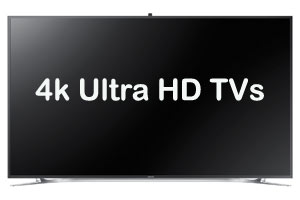 Best Rated 4K Ultra HD TVs – A new standard in TVs that is four times sharper than regular 1080p HDTVs has emerged. This is the 4K Ultra HD TV. It has 8 megapixels of resolution, versus 2 megapixels in a Full HD TV. Most movie theaters now have 4K projectors, so you will be getting the same resolution as the movie theater in your home. As this is a new standard, there is not much 4k native content currently. However Netflix, Xfinity (Comcast), ESPN, Youtube, and DirecTV all are providing 4K programming. Samsung presented a 4K Blu-ray Player at CES which is already shipping this year. The 4K sets are capable of upconverting regular HD content. Sony and Panasonic both announced camcorders under $1,000 that can record to 4K Ultra HD resolution. Canon released its first 4K consumer camcorder. 4K sets are more expensive than HD, but prices have dropped dramatically. 4K is now the new standard for high end TVs. The best brands of 4K TVs can upconvert standard HD to look even better. The big new feature this year is HDR (high dynamic range), for better more natural looking images.
Related Article: 4K TV Buying Guide 2020-2021
Related Article: Best Rated 4K Ultra HD TVs Review and Comparison

LG's Flexible 4K OLED TV at CES
Best Rated OLED TVs – OLED TVs provide the best picture of any screen technology. They have the deepest blacks, super fast refresh rates, and great viewing angles. The only negative of OLED is that the price of an OLED is much higher than other screen display TVs, such as LED. But we have seen a big drop in prices over the last year, so that may be changing. LG now only has 4K OLED TVs, and showed an 8K OLED TV at CES. Sony since 2017 has been a player in OLED 4K TVs. OLED is an emissive technology, which means each pixel displays its own light, so no backlight required. Newer sets now have HDR built-in.Smart Review’s Top Picks in OLED TVs:
- LG Electronics C1 Flat 4K Ultra HD OLED TV Series (2021)
- LG Electronics CX Flat 4K Ultra HD OLED TV Series (2020)
- LG Electronics C9 Flat 4K Ultra HD OLED TV Series (2019)

HDTV Screen Size
Related Article: How Large a Screen do you need?
 HDTV Screen Resolution – 1080p Full HD or 4K Ultra HD? Screen resolution is the maximum (in pixels) that a TV can display. Earlier HDTV’s could display what is called 720p which is usually a resolution of 1366 x 768 pixels (1 million pixels). The current standard is called 1080p Full HD with a much higher resolution of 1920 x 1080 ( 2 million pixels). Blu-ray discs, Playstation 3, and some cable/satellite providers are able to display the full 1080p resolution. Today’s best selling televisions are 1080p, but 4K TVs are beginning to catch up in sales, as prices have come down. 4K is the latest standard, at 2160p, it has four times the resolution of Full HD, giving you a spectacular picture. The smaller pixels allow you to sit closer to the TV for a more immersive viewing experience. 4K TVs can upconvert Full HD to look even better. Movie Theaters have Sony 4K Projectors installed, so you are in effect getting movie theater resolution in the home.
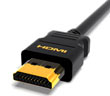 HDMI and COMPONENT – Hooking up your high definition cable box, DVD or Blu-ray player, PS3, or other high quality source requires the right connection. The best connection is HDMI, followed by Component. Both are high quality, with HDMI having an edge in picture quality. If you have many hookups to make, you would want to see more HDMI and Component jacks on the TV you purchase. For 1080p sets, you want to have HDMI as your connection of choice. So look for HDTVs with more HDMI and Component connections if you have a lot of equipment to connect. Most have at least 3 HDMI and many are now coming with 4 or more HDMI connections.

Quantum Dots & Nano-Crystal LED Technology
Related TVs: Quantum Dot (Nano Crystal) 4K Ultra HD TVs
 WiFi/Internet Ready TVs – Many of today’s TVs are internet and WiFi Ready. What this means is that they can connect to the internet wirelessly through your home WiFi network, or an ethernet cable from your cable modem. Content varies on different models and brands of TVs. Some of the more common content available is Netflix, Youtube, Facebook. Some sets have their own internet browser to access any website you put into its browser. We are seeing some provide remote controls with either keyboards, touchpads, or voice control on them for easier input. Most now have the lastest 802.11 AC standard which can support 4K.
Related Article: Top-Rated Internet Ready TVs.

Samsung Smart HUB Apps Screen at CES (click for larger picture)
Related Article: Top-Rated Smart TVs.
Viewing Angle – Some HDTV’s displays have a more limited viewing angle than others. They lose contrast and become hard to read at some viewing angles and they have more contrast and are easier to read at others. Generally the higher the viewing angle, the better. OLED TVs have the best viewing angles. This is especially important when a group of people are watching an HDTV at the same time. Modern High Definition TVs have much better viewing angles, and it is not as big an issue as it was in the past.

Curved 4K Ultra HD TVs
Related TVs: 4K Ultra HD TVs with a Curved Screen
Contrast Ratio – This is the difference in light intensity between the brightest white and the darkest black. Higher is better. The higher the contrast ratio, the greater the ability to show subtle color details, and better resulting picture. Details in dark scenes will benefit from a higher contrast ratio. Many manufacturers give what is called Dynamic contrast which is a higher number than the contrast ratio. So be careful not to confuse this when comparing. LCD panels regular Native contrast ratios hover around 1200-3500:1 for LCDs, and up to 40,000:1 for Plasmas. Dynamic contrast for LCDs can run as high as 150,000 and more. LED TVs and Plasma TVs have contrast ratios 1,000,000:1 and more. As noted one must consider both static (Native) and dynamic contrast ratios.
Response Time – Response time is in simplistic terms how fast the screen can “paint” the screen. It is measured in milliseconds or (ms). Lower numbers are better. A lower response time is best for fast paced games, video, fast moving movies and sports. Today’s HDTV’s have much faster response times than in the past and this issue is also becoming less important since most models today are quite fast. OLED TVs have the fastest response time.

3D Ready TVs
3D Ready TVs – Because of the popularity of 3D in the movie theater with blockbusters such as Avatar, a demand for in home 3d Television has emerged. The 3D TV is the same as a normal set except that it has a built in IR (Infrared) or bluetooth transmitter to transmit signals to special 3D glasses. (Passive 3D TVs do not need a transmitter). These sets also can convert 2D (regular TV) into 3D. There is now 3D content on Cable TV, Satellite, On Demand, Blu-ray, PS3 games, and more. Sports will become a big area for 3D, and is already on ESPN programming. Blu-ray 3D Players have now appeared that can give you full HD in 3D. **3D Glasses are not required to view regular HD programming. So even if you are not going to initially buy accessories (glasses and 3D blu-ray players), you can still enjoy the TV as a normal HDTV for high definition programming. 3D on 4K TVs can rival that of 3D in the movie theater. Note: Samsung has discontinued 3D TVs for their 2016 model year! Most other manufacturers have also dropped 3D.120Hz LED TVs – Introduced in Mid 2007, a new type of LCD/LED HDTV technology has come out on select HDTVs. 120Hz refers to the frame rate of an HDTV. Currently sets are 60hz. The double frame rate 120Hz sets will make fast action less prone to blurring. This is important for action movies, and sports. Plasma HDTVs do not need this technology as they handle fast action without the need for 120Hz. Smart-Review will feature these sets as they become available. Top Rated 120Hz HDTVs.
240Hz LED TVs – Introduced in late 2008, this technology quadruples the normal framerate of a 60Hz HDTV, to 240Hz. Like the 120Hz, these sets will make fast action even less prone to blurring. 4K TVs are primarily 120Hz, and we are not seeing 240Hz TVs so far.
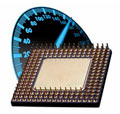 Dual Core/Quad Core Processors – Over the last few years, manufacturers have included dual core and quad core processors into TVs. Just like notebook computers, a dual core processor will speed up operations on the TV. A quad core is even better. This comes into play when using the Smart TV functionality and multi-tasking. Some TVs bog down when using their Internet Apps and browsers. The Dual core processor will make these operations run more smoothly, and add functions like voice control. Almost all Samsung brand TVs have a Quad Core processor, which are even more powerful for their Smart TV operations. Most 4K TVs have Quad Core or better processors.
4K TV Firmware – Most of the newer 4K TVs now are upgradeable with a firmware (software) upgrade. Usually they can be upgraded using a USB port on the TV, and some using wireless WiFi (this is how the Sony Playstation also upgrades itself). Firmware upgrades serve many purposes, including expanding features (such as more internet applications), and fixing bugs. Some TVs that end up being the highest rated may have some poor ratings initially that come from a bug that is later fixed with firmware upgrades. You can usually find these upgrades at the Manufacturer’s web site, or using a menu choice on your TV.
ATSC Tuner – Most of the newer 4K TVs now include a digital HD tuner called ATSC. An ATSC digital tuner is required to receive and decode over-the-air digital television signals. Sets do not require this tuner if you are only receiving your high definition feed from a cable company or from satellite, as they will provide you with a high definition decoder box instead. This gives you the option to receive “free” over the air HD local broadcasts. ATSC 3.0 can support 4K programming.
ATSC/QAM Tuner – Most newer HDTVs have not only ATSC, but also a QAM tuner. An integrated QAM tuner allows the free reception of unscrambled digital programming sent “in the clear” by cable providers (without a box), usually local broadcast stations. This varies by cable company. Most other stations however are scrambled.
Cable Card – Some sets allow you to put a Cable Card in a slot. This card is provided by your cable tv company and allows you to descramble the channels without a cable box. Some people would rather not rent the box provided by the cable company. However, you may lose the TV schedule and on demand features when you use this feature instead of the provided box.
Brand Name or 2nd Tier Brand? – When purchasing an HDTV you will see familiar top level brands such as Sony, Samsung, Panasonic, Toshiba, LG, Sharp, etc. Then you will see 2nd tier brands that sell at substantial discounts to the top brands. We recommend only top tier brands for several reasons. One is that many of these 2nd tier brands offer poor servicing should something go wrong. Some charge you the freight to either ship the TV to them or back after repair. One brand we saw offers no parts after the one year warranty is up, so in effect it is a throwaway TV. Many use inferior parts. Higher end TVs have better video processors for upconverting and reducing digital noise. For these reasons we believe that top tier brands are the best way to go even though there is a higher initial cost.
Related Article: 4K Ultra HD TVs Buying Guide
Copyright© 2023 SmartReview.com This Article, or any content on this website, may not be published, broadcast, rewritten or redistributed in whole or part without the express written permission of SmartReview.com


